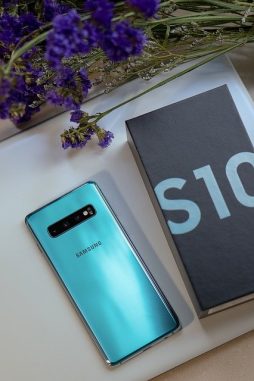
Problems with Samsung Galaxy S10
Samsung’s Exynos chipsets haven’t been the most efficient on power usage, even in use to make flagships so many years now. The 2018 Galaxy S10 confirms it. After Samsung unveiled the Exynos and Snapdragon versions of the Galaxy S10, comparisons arose between the two. Snapdragon 855 comes out on top in tests of several benchmarks. It lasts almost 1 hour longer than the Exynos SoC fitted to the device during a custom battery test.
In the past two weeks, a lot of complaints circulated about Samsung’s latest products. These include bugs in their phone which cause it to suffer from low battery life. There was a recent report of a “proximity sensor bug” that accidentally left the screen open either in your pocket or bag. You have to disable the “Lift to Wake” and “Tap to Wake” features, as the phone doesn’t sense your movements. When you have the phone in your pocket with the screen facing down, it might cause confusion to the Galaxy S1. When it presses your thigh, the screen stays on all the time. Accidental movement causes the “Lift to Wake” feature, which the phone sees as intentional.
There’s a second, more worrying bug affecting Samsung Galaxy S10 versions with Exynos. A lot of new owners are complaining about the battery idling. XDA and Reddit users found out what the problem is by comparing the battery life results for Exynos Galaxy S10 models.
The bug found in the Samsung Galaxy S10 affects the Exynos-powered versions. Making and receiving VoIP calls causes, as confirmed, the problem. The bug prevents your phone from entering sleep mode when in standby mode. This issue seems to happen on apps that support the VoIP feature, such as Viber, WhatsApp and Facebook Messenger. It has also been said that this problem is caused by the proximity sensor and will cause the phone to not enter deep sleep without resuming. This means that the CPU continues to operate at a frequency higher than required even when the phone is not being used. Receiving another VoIP call can bring back the error again.
The best option is to restart your device after each VoIP call.
If you liked this post, then you may also enjoy this one.
Author: PC-GR
The World of Technology