

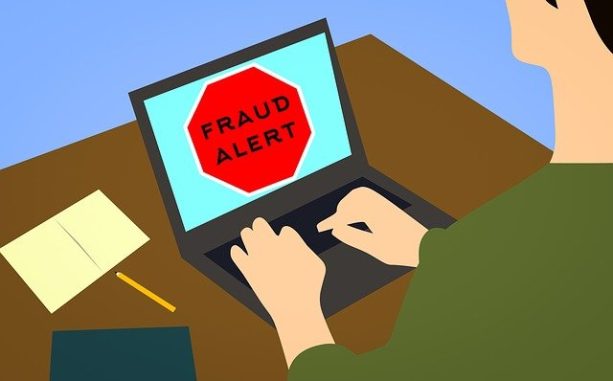
10% of Greeks vulnerable to online fraud
1 in 10 Greeks have had their money stolen by online scam artists according to research. Based on a study done by Google to promote Internet Safety Day, some Greeks do not use passwords for their social media accounts, or even how to check them. This causes a lack of security and unsecured information which is dangerous in today’s society.
When asked about online risks, Greek respondents stated that they’ve experienced 9% of online fraud, 49% of phishing messages, 23% of malware exposure and 13% of unauthorized access to their social media profiles.
Despite the numerous security warnings, 34% of respondents say they use the same password on multiple websites. This leaves a third of total respondents with passwords that are insecure.
When asked how often they update their browser, around 20% of people said they did it a few times a month, another 12% only do it once every six months and more than 15% of people say they never update anything.
For many years, Greece was known to be a welcoming country with a populace that respects privacy. Though times have changed and the cost has been a huge concern, Greeks are still nurturing their same security concerns.
-
To protect yourself online, it is important to use software and applications that are current and updated. This not only protects you but also helps reduce cyber risk. Chrome is the latest version of a popular browser that allows you to continue browsing without any delay. The updates happen automatically and you can always stay up to date with fun features such as ad-blocking.
-
Using the same password for multiple accounts puts your security at increased risk. Using a key to open all the individual doors of your home, car, and office can save a lot of time and effort. This is perfect for when you’re in a hurry and have little time to spare or when you don’t have a key to someones door. Whoever has access has access to everything on that key, making this risk higher. To prevent online theft, use a unique password and don’t rely just on the code. Avoid using your name or birthdate, as these are easier to find online. Remember to save these important details in an encrypted file. You could use an online password manager to help with creating, securing, and sharing.
-
Google is not just about correspondence, but it is a platform for sharing diverse and changing personal information. To make sure your content remains secure in the future, know what information is shared and avail of the support from Google Security. Connect with us to learn more about our Security Audit program. We help you stay safe when using Google, and provide helpful tips for keeping you secure the whole time. We found that employees often have access to social media sites and apps like Facebook through their Google account. It’s important for businesses to be aware of this to ensure that workers aren’t using these sites or apps when they shouldn’t be. One solution is unchecking these locations in settings or adding a screen lock app. Visit https://myaccount.google.com/security-checkup to do your own Security Audit.
-
Remember to set up a phone number or email recovery in case you lose access to your account. Losing contact with your account can happen for a number of reasons, but not being able to recover that account can become a serious issue. That’s where our Account Recovery system can help keep data safe in an online fraud. Your online security company might be able to help you do something to block them. Call their 24/7 customer support number or email them for more details about what you can do. For example, when an unknown device communicates with your Google Account, you may be asked to verify that the connection is authorized by entering a code sent to your recovery phone number. To set up recovery information in your Google Account, head over to this page, visit security.google.com and click “Personal Information.”
-
Setting up two-step verification is a great way to secure your accounts. It requires you to make sure your password and email account are a match before logging into another device or even logging in to your accounts on a different browser. The best type of second-step verification is the set of second-step options above. These provide greater trustworthiness and security. Remember to be ready for the second step of verification every time you log on to your account. That’s if you have the two-step authentication enabled. This reduces the risk of someone gaining unauthorized access. To help prevent a login, you can turn on 2-step verification on your Google Account. To do this, just visit security.google.com and click the “Two-step verification” button there. It’s a perfect step to protect yourself against online fraud.
Passing on digital literacy may keep your children safe in the long run and let them know about how digital devices work before they become too involved. It’s also good to talk with these kids about internet rules and setting positive boundaries for their use. As a digital learner, it’s important to lay down some digital rules for yourself to make sure you’re being safe online. Without these rules you might be exposing yourself to some undesirable consequences. If you use Android or Chromebook devices, you can manage your kids’ Google Accounts, approve or block apps and websites they are allowed to use, and set screen time limits with the Google Family Link app.
If you enjoyed this article, then you may also like this one.
Author: PC-GR
The World of Technology





